Need to convert JPG to PDF quickly? Our online JPG to PDF converter makes it simple. Whether you’re organizing documents for work, creating presentations, or archiving photos, converting JPG images to PDF format has never been easier. This guide will walk you through everything you need to know about JPG to PDF conversion, plus show you exactly how to use our free online tool.
Converting images to PDF format solves common problems like file organization, document sharing, and professional presentation. Instead of sending multiple image files, you can combine them into one clean PDF document that’s easy to share and view on any device.
Table of Contents
What is JPG to PDF Conversion?
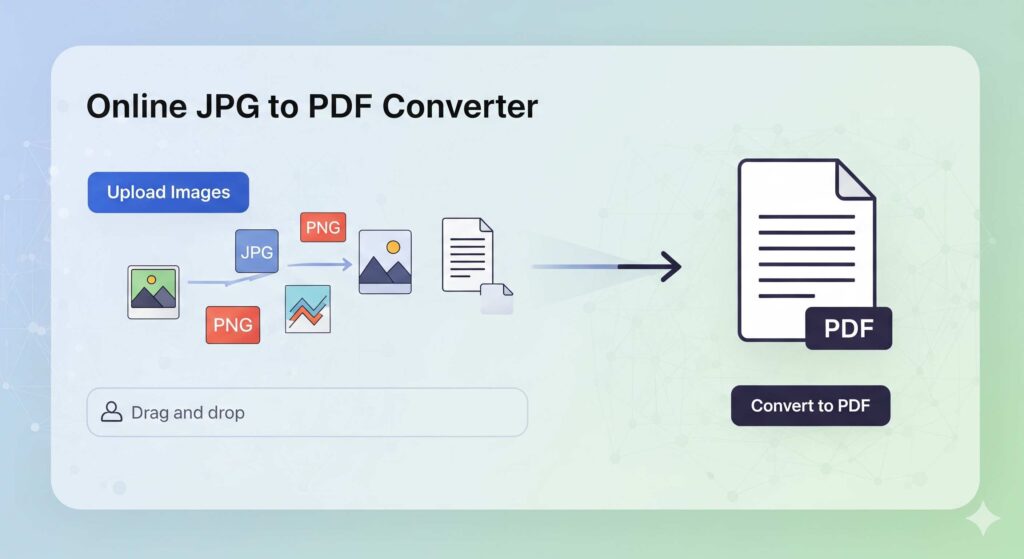
JPG to PDF conversion transforms your image files into a universally compatible PDF document. This process takes your JPG images and embeds them into a PDF file, maintaining image quality while creating a more professional, shareable format.
The conversion process preserves your original image quality while adding the benefits of PDF format. PDFs maintain consistent formatting across different devices and operating systems, making them ideal for business documents, portfolios, and official paperwork.
Unlike simple image files, PDFs can combine multiple images into a single document, include text overlays, and offer better security options. This makes converting JPG to PDF particularly valuable for professional and educational purposes.
Benefits of Using an Online JPG to PDF Tool
Instant Access Anywhere
Online converters work directly in your web browser. No software downloads or installations required. You can convert JPG to PDF free from any computer, tablet, or smartphone with internet access.
Cost-Effective Solution
Skip expensive software purchases. Our online PDF tool handles unlimited conversions without subscription fees or hidden costs. This makes it perfect for occasional users and businesses alike.
Automatic Updates
Online tools stay current with the latest PDF standards and image processing improvements. You’ll always have access to the most advanced conversion technology without manual updates.
Device Compatibility
Works seamlessly across Windows, Mac, iOS, and Android devices. The same simple interface delivers consistent results regardless of your operating system.
Secure Processing
Your files are processed securely and automatically deleted from our servers after conversion. This protects your privacy while delivering professional results.
Step-by-Step Guide: How to Convert JPG to PDF
Converting JPG files to PDF with our online converter takes just a few clicks:
Step 1: Access the Tool
Visit our JPG to PDF converter page. The tool loads instantly in any modern web browser without requiring account creation or downloads.
Step 2: Upload Your Images
Click “Select Files” or drag and drop your JPG images directly onto the upload area. You can select multiple images at once to combine JPG to PDF in a single document.
Step 3: Arrange Your Images
If uploading multiple files, arrange them in your preferred order using the drag-and-drop interface. This determines how they’ll appear in your final PDF document.
Step 4: Adjust Settings (Optional)
Choose your preferred page orientation, image quality, and PDF compression level. Most users can skip this step and use the default settings for excellent results.
Step 5: Convert and Download
Click “Convert to PDF” and wait a few seconds for processing. Your converted file will automatically download, ready to use immediately.
The entire process typically takes under 30 seconds, even for multiple large image files.
Common Use Cases for JPG to PDF Conversion
Business Documentation
Convert scanned receipts, invoices, and contracts from JPG format to professional PDF documents. This creates consistent filing systems and improves document management workflows.
Educational Materials
Teachers and students frequently need to format JPG screenshots, diagrams, and handwritten notes into PDF assignments or presentations. The conversion maintains image clarity while creating submittable documents.
Photography Portfolios
Professional photographers use JPG to PDF conversion to create client presentation packages. Multiple images combine into branded portfolio documents that showcase work professionally.
Real Estate Listings
Property managers convert JPG property photos into comprehensive PDF brochures. This creates professional marketing materials that potential buyers can easily save and share.
Legal Documentation
Law firms often need to convert JPG copies of signed documents, evidence photos, and case materials into official PDF records for court submissions and client files.
Tips for High-Quality JPG to PDF Conversion
Optimize Image Resolution
Start with high-quality JPG files for the best PDF results. Images with 300 DPI or higher produce crisp, professional-looking PDF documents suitable for printing and digital viewing.
Consider File Size
Balance image quality with file size requirements. Our online converter offers compression options that reduce PDF file size while maintaining visual quality appropriate for your intended use.
Organize Before Converting
Rename your JPG files with sequential numbers or descriptive names before uploading. This makes it easier to arrange them correctly in your final PDF document.
Preview Before Downloading
Use the preview function to verify image order and quality before finalizing your conversion. This saves time and ensures your PDF meets expectations.
Batch Processing
When converting multiple JPG files, process them in logical groups. This creates more manageable PDF documents and improves organization for future reference.
Why Choose Our Online Converter Over Desktop Software
Our web-based JPG to PDF tool offers several advantages over traditional desktop software:
No Storage Requirements
Desktop PDF software can consume hundreds of megabytes of hard drive space. Our online tool requires zero local storage while delivering equivalent functionality.
Automatic Compatibility
Desktop software may struggle with newer image formats or operating system updates. Online converters automatically support the latest file types and web standards.
Collaborative Features
Share conversion links with team members or clients for consistent results across different users and devices. Desktop software limits collaboration to single-user installations.
Mobile Optimization
Convert files directly from your smartphone or tablet camera roll. Desktop software typically requires transferring files to a computer first, adding unnecessary steps.
Privacy Policy – Privacy & Terms – Google
Security and Privacy Features
Automatic File Deletion
All uploaded images and converted PDFs are automatically deleted from our servers within 24 hours. This ensures your private documents remain secure and don’t accumulate on external systems.
Encrypted Processing
File uploads and conversions use SSL encryption to protect your data during transmission. Your images remain private throughout the entire conversion process.
No Registration Required
Start converting immediately without creating accounts or providing personal information. This eliminates data collection concerns while maintaining full functionality.
Local Processing Options
For maximum security with sensitive documents, our tool offers client-side processing options that convert files entirely within your web browser.
Transform Your Image Management Today
Converting JPG to PDF streamlines document management, improves professional presentation, and creates universally compatible files. Our free online converter eliminates the complexity and cost barriers that often prevent people from organizing their digital documents effectively.
Ready to experience the convenience of instant JPG to PDF conversion? Try our online converter now and discover how simple professional document creation can be. Your first conversion takes less than a minute, and there’s no limit to how many files you can process.